Independent. Human-Curated. Established 2007.
25 Best Free SEO Tools & Resources for Beginners: Zero Budget, Real Results
DirJournal Founder · 19+ years building directory and discovery products. Editorial-team verified.
Key Takeaways
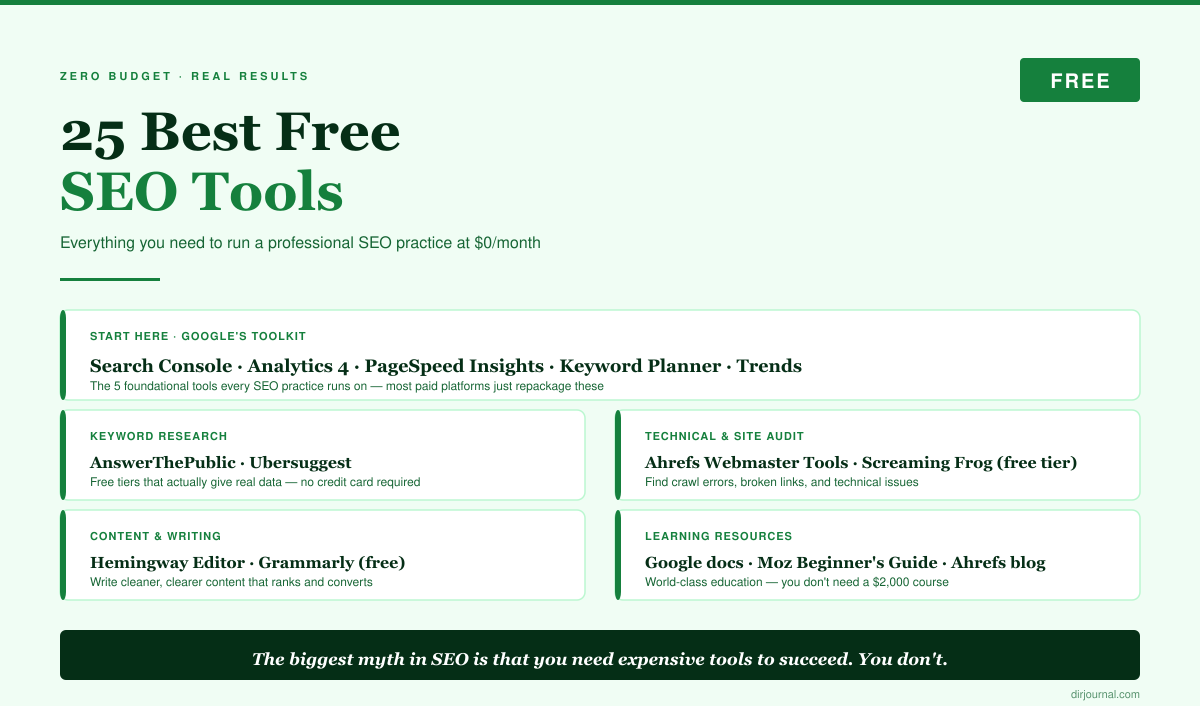
- You can build a professional SEO practice with $0/month in tool costs. Google alone provides 5 free tools that most paid platforms simply repackage. Master these before spending on premium tools.
- Google Search Console is more powerful than most people realize. Performance reports, index coverage, Core Web Vitals, manual actions, links report — it's a complete SEO dashboard that's genuinely free, not freemium.
- Ahrefs Webmaster Tools is the best-kept secret in free SEO. It's a free, limited version of Ahrefs that gives you site audits and backlink data for sites you own. No credit card required.
- Learning SEO is free. Google's own documentation, Moz's Beginner's Guide, and Ahrefs' blog provide world-class education at no cost. You don't need a $2,000 course.
The biggest myth in SEO is that you need expensive tools to succeed. You don't. Google gives away more SEO data than any paid tool can provide — most people just don't know how to use it. Layer on a few free tools from Ahrefs, Moz, and the open-source community, and you have a toolkit that handles 90% of what you need.
This guide is the companion to our Ultimate SEO Resources pillar (which covers both free and paid tools). Here, we focus exclusively on what's genuinely free — no "free trials" that expire, no "freemium" tools that are useless without upgrading. Every tool listed works at $0/month.
Google's Free SEO Toolkit (Start Here)
Five tools from Google that form the foundation of any SEO practice.
| # | Tool | Website | What It Does | Beginner Priority |
|---|---|---|---|---|
| 1 | Google Search Console | search.google.com | Index monitoring, search performance, Core Web Vitals, links | Essential |
| 2 | Google Analytics 4 | analytics.google.com | Traffic analysis, user behavior, conversion tracking | Essential |
| 3 | Google PageSpeed Insights | pagespeed.web.dev | Page speed scoring, Core Web Vitals, optimization suggestions | Essential |
| 4 | Google Keyword Planner | ads.google.com | Keyword search volume and competition data | Important |
| 5 | Google Trends | trends.google.com | Search trend data, seasonal patterns, topic comparison | Important |
Google Search Console: the Deep Dive
Most beginners look at Search Console once, check their total clicks, and leave. Here's what you should actually be using:
- Performance report → Queries tab: Shows every search query that triggered your pages. Sort by impressions to find keywords where you're visible but not getting clicks (your titles/descriptions need work). Sort by position to find keywords where you're on page 2 (a few improvements could push you to page 1).
- Performance report → Pages tab: Shows which pages drive the most traffic. Focus your optimization efforts on your top 20 pages — they'll give you the biggest ROI.
- Coverage/Indexing report: Shows which pages Google has indexed and which have errors. If important pages show "Discovered – currently not indexed" or "Crawled – currently not indexed," you have a content quality or site structure problem.
- Core Web Vitals: Shows your real-world page speed metrics. These are actual user measurements, not lab tests. Fix pages flagged as "Poor" first.
- Links report: Shows your top linked pages and who links to you. This is the same data that Ahrefs and Moz charge for — Google gives it free for your own site.
Free Keyword Research Tools
Finding what people search for without spending a dollar.
| # | Tool | Website | Free Limit | Best For |
|---|---|---|---|---|
| 1 | Google Keyword Planner | ads.google.com | Unlimited (needs Ads account) | Search volume baselines |
| 2 | AnswerThePublic | answerthepublic.com | 3 searches/day | Question-based keywords |
| 3 | AlsoAsked | alsoasked.com | 3 searches/day | People Also Ask mining |
| 4 | Ubersuggest | neilpatel.com | 3 searches/day | Keyword ideas + competitor analysis |
| 5 | Google Trends | trends.google.com | Unlimited | Trend comparison + seasonality |
| 6 | Keyword Surfer (Chrome) | Chrome Web Store | Unlimited | Search volume in Google SERPs |
| 7 | Google Autocomplete | google.com | Unlimited | Real-time keyword suggestions |
Free Technical SEO & Site Audit Tools
| # | Tool | Website | Free Limit | Best For |
|---|---|---|---|---|
| 1 | Screaming Frog SEO Spider | screamingfrog.co.uk | 500 URLs | Site crawling + technical audit |
| 2 | Ahrefs Webmaster Tools | ahrefs.com/webmaster-tools | Unlimited (own sites only) | Site audit + backlink data |
| 3 | Bing Webmaster Tools | bing.com/webmasters | Unlimited | Bing SEO + additional crawl data |
| 4 | Schema Markup Validator | validator.schema.org | Unlimited | Structured data validation |
| 5 | Rich Results Test | search.google.com | Unlimited | Testing rich snippet eligibility |
| 6 | Check My Links (Chrome) | Chrome Web Store | Unlimited | Finding broken links on any page |
| 7 | GTmetrix | gtmetrix.com | Unlimited (basic) | Page speed + waterfall analysis |
| 8 | Lighthouse (Chrome DevTools) | Built into Chrome (F12) | Unlimited | Performance, accessibility, SEO audit |
Ahrefs Webmaster Tools: the Hidden Gem
Most people don't know this exists. Ahrefs offers a completely free version of their platform for websites you own (verified through Google Search Console or DNS). You get:
- Full site audit with 100+ SEO checks
- Backlink profile overview
- Top pages by traffic
- Organic keyword data
It's not as comprehensive as the paid $129/mo plan (you can't analyze competitor sites), but for auditing and monitoring your own site, it's genuinely powerful and completely free.
Free Content & Writing Tools
| # | Tool | Website | Best For |
|---|---|---|---|
| 1 | Hemingway Editor | hemingwayapp.com | Readability scoring + simplification |
| 2 | Grammarly (free tier) | grammarly.com | Grammar + spelling + tone |
| 3 | Claude (free tier) | claude.ai | Research, outlining, drafting |
| 4 | ChatGPT (free tier) | chatgpt.com | Content ideation + drafting |
| 5 | Canva (free tier) | canva.com | Blog graphics + social images |
Best Free SEO Learning Resources
Where to learn SEO without paying for courses.
Start Here (in This Order)
- Google's SEO Starter Guide — The official guide from Google. Short, practical, and authoritative. Read this first before anything else.
- Moz Beginner's Guide to SEO — The classic comprehensive introduction. Covers everything from how search engines work to link building. Free, well-written, regularly updated.
- Ahrefs Blog — Data-driven SEO tutorials and case studies. Their "SEO for Beginners" series is excellent.
- Ahrefs YouTube Channel — Video tutorials covering every SEO topic. Sam Oh's beginner series is the best free SEO video course available.
- Google Search Central YouTube — Office hours and myth-busting from Google's own search team. When you want to know what Google actually thinks (not what SEOs speculate), this is the source.
Communities for Ongoing Learning
- r/SEO — Active Reddit community for SEO discussion
- r/BigSEO — More advanced, professional-level discussion
- SEO Twitter/X — Follow @JohnMu (Google), @LilyRayNYC, @aleydasolis, @gaborlengyelSEO
- Search Engine Journal — Daily SEO news and guides
The Free SEO Starter Plan: First 30 Days
Exactly what to do in your first month with zero budget.
Week 1: Setup & Foundation
- Set up Google Search Console and verify your site
- Set up Google Analytics 4
- Register with Ahrefs Webmaster Tools (free)
- Run your first Screaming Frog crawl (free up to 500 URLs)
- Read Google's SEO Starter Guide cover to cover
Week 2: Keyword Research
- Check Search Console → Performance → Queries: what keywords are you already ranking for?
- Use AnswerThePublic for your main topic: what questions do people ask?
- Check Google autocomplete for your primary keywords
- Create a spreadsheet of 20-30 target keywords prioritized by relevance and competition
Week 3: On-Page Optimization
- Optimize your top 5 pages: title tags, meta descriptions, H1 headings, internal links
- Fix any technical issues found in your Screaming Frog crawl (broken links, missing meta tags, duplicate content)
- Check PageSpeed Insights for your top pages and fix "Poor" Core Web Vitals
Week 4: Content & Links
- Create one comprehensive piece of content targeting your most important keyword
- Submit your site to 5 quality business directories (start with DirJournal, Google Business Profile, LinkedIn, Bing Places, Yelp)
- Set up Google Alerts for your brand name and main keywords
- Join r/SEO and start learning from the community
Disclosure: DirJournal is referenced as a recommended citation source. Ahrefs and Moz are recommended for their free tiers — DirJournal has no affiliate relationship with either. This guide contains no affiliate links.