Independent. Human-Curated. Established 2007.
The 12 Best Cloud Contact Center Platforms for Midsize and Enterprise Teams
Technology and cybersecurity writer since 2020 · bylines at Datamation and Enterprise Storage Forum.

Key Takeaways
- 1Entry list prices run from $35 a month per active user for Twilio Flex (plus usage) to $119 per concurrent seat for Five9 Digital, and most vendors negotiate below list at volume.
- 2Entry tiers often leave out contact center features: RingCX Standard covers routing and recording only, and Nextiva Essential is voice and web chat only.
- 3Nextiva, RingCentral RingCX, 8x8, Dialpad and Zoom pair the contact center with a business phone system, which suits midsize teams cutting down on vendors.
- 4Genesys Cloud CX, NiCE CXone, Five9, Talkdesk and Cisco Webex target complex enterprise operations, and most of them work best with dedicated contact center administrators.
- 5Amazon Connect bills by usage ($0.038 per voice minute and $0.010 per chat message, plus telephony), which keeps a small rollout cheap but makes high-volume costs hard to forecast.
- 6Five9 has a 50-seat minimum, and Talkdesk list prices assume a three-year commitment.
When the same support agents have to manage separate voice, chat, and messaging communication channels, the basic queues meant to hold customers until the next availability become what turns them away from the business. But simply switching to cloud contact centers isn’t enough. You need one that’s compatible with your company’s size and existing communication style in order to minimize adoption friction.
This guide compares the 12 leading cloud contact center platforms, evaluating their routing, communication channels, AI features, analytics, and workforce management capabilities.
What to Look for in the Best Cloud Contact Center Platforms
In this list, each platform is evaluated using seven key criteria that affect everyday contact center operations:
- Intelligent routing: Organizing the queue by priority, availability, and cross-channel routing.
- Voice and chat: Shared customer context across both channels.
- AI summaries: Generating automatic summaries of the customer interaction journey.
- Agent assistance: Real-time guidance and suggested actions.
- Analytics: Ability to extract key conversation topics, sentiment, and quality.
- Workforce tools: Forecasting, scheduling, capacity, and workload management.
- Integrations: APIs, prebuilt integrations, CRM connections, and automatic customer outcome logging.
Factors such as geographic availability, uptime, and security become increasingly important when searching for solutions at enterprise scale.
How We Evaluated
Each platform was assessed against the vendor’s own product documentation and published pricing pages. Prices quoted are US list prices per month as of October 25, 2026; most vendors negotiate below list at volume, and several add telephony or usage charges on top of the seat price. No vendor reviewed or approved this article before publication.
Cloud Contact Centers for Midsize Teams
Nextiva: Best for Combining Contact Center and Business Communications
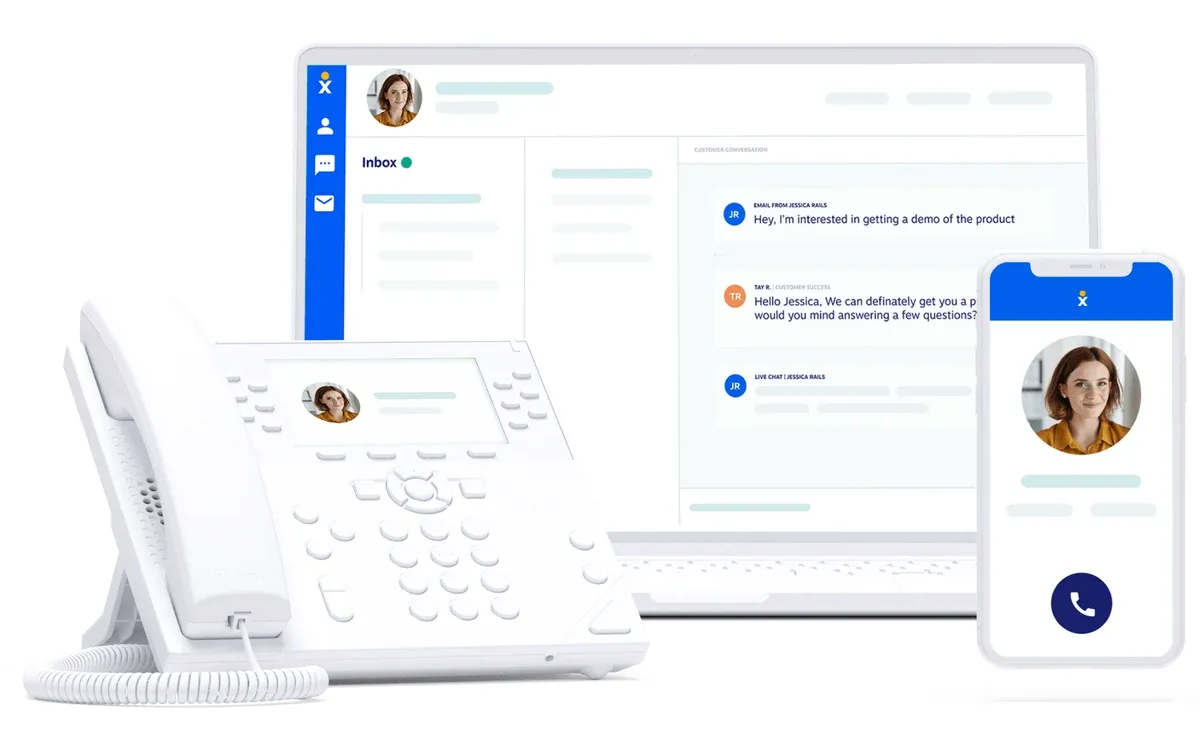
Nextiva is a strong fit for midsize teams looking for business communications and contact center in one platform. It takes a comprehensive approach to customer communications and experience management, combining voice and digital channels with shared customer context, intelligent routing, AI summaries, and analytics tools.
Contact center seats are licensed separately from Nextiva’s business phone plans. The Essential tier covers voice and web chat with skills-based routing, while the full omnichannel set, workforce management, and quality management sit in the quote-based Professional and Premium tiers.
In summary:
- Implementation effort: Moderate.
- Admin requirements: Managed by internal IT or operations teams.
- Considerations: The entry tier is voice and web chat only; omnichannel routing, workforce management, and quality management require the quote-based Professional or Premium tiers. More complex routing and customized workflows may require additional configuration.
RingCentral RingCX: Best for Teams Already on RingEX
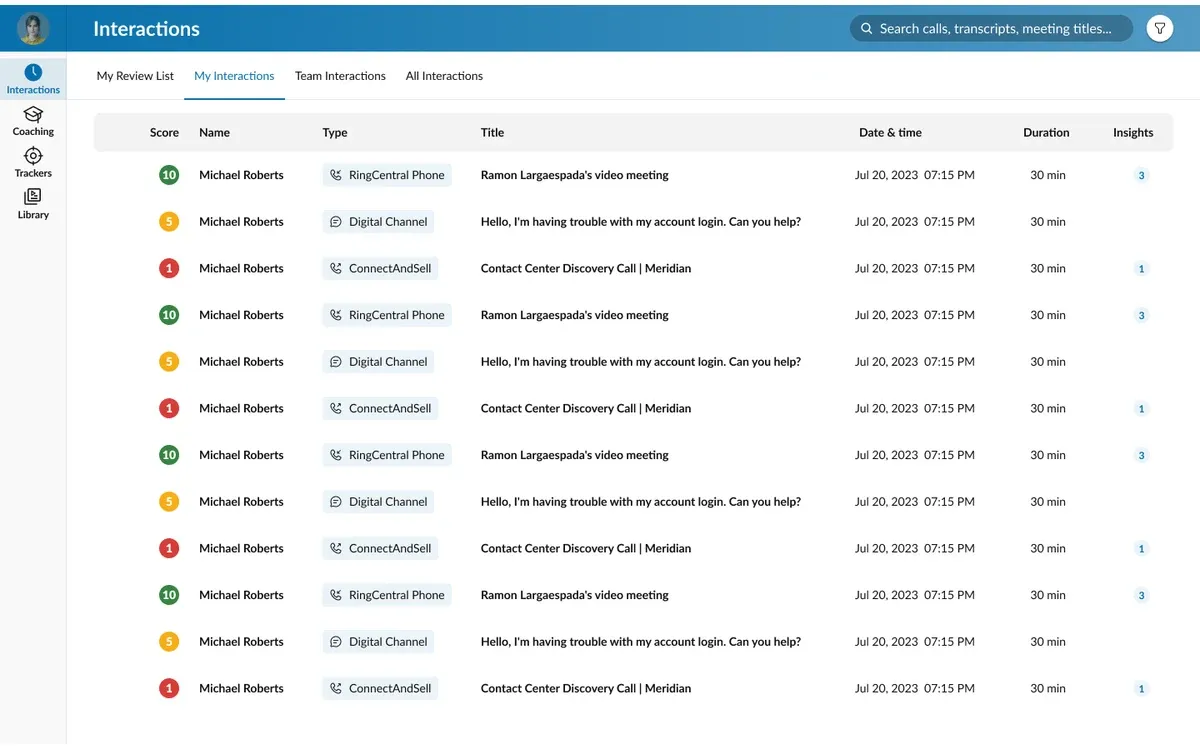
RingCentral RingCX is RingCentral’s native contact center, built to sit alongside its RingEX business phone and messaging platform. It brings voice, video, and more than 20 digital channels into a single agent desktop with skills-based routing, and RingSense AI supplies call transcriptions, summaries, and post-interaction notes as part of the base agent license.
Higher tiers add AI agent assist, AI quality management, and workforce management, so the capabilities that separate a contact center from a phone queue sit above the entry price.
In summary:
- Implementation effort: Low to moderate; deployment is quickest for teams already on RingEX.
- Admin requirements: Low. Routing, queues, and digital channels are managed from the same admin portal as the phone system.
- Considerations: The Standard tier covers routing and recording only. AI agent assist and quality management require Professional, and workforce management requires Elite.
8x8 Contact Center: Best for Omnichannel Engagement on a UCaaS Platform
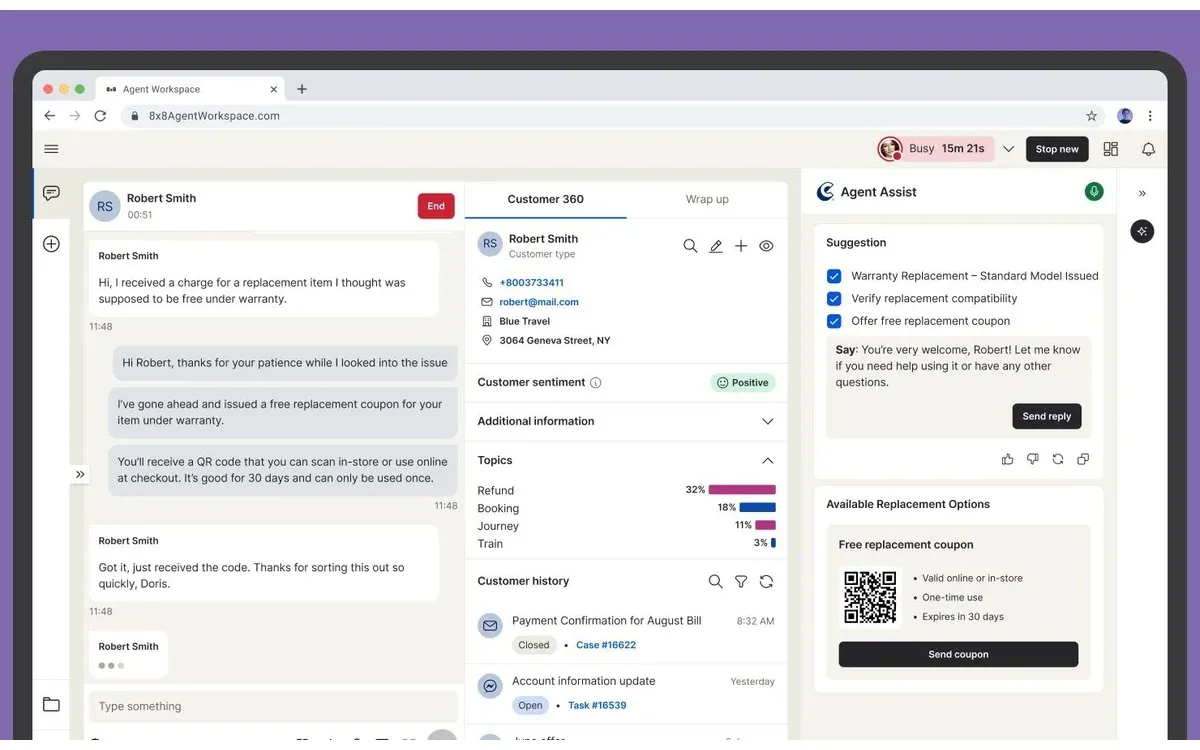
8x8 Contact Center brings voice and digital customer interactions into the same platform. It uses omnichannel routing designed to preserve conversation context as customers are moved from one channel to another.
It combines agent guidance with AI assistance, offering customer interaction summaries, sentiment analytics, and workforce management. It’s best used in combination with 8x8’s broader communications solutions.
In summary:
- Implementation effort: Moderate, depending on channel scope and migration requirements.
- Admin requirements: Moderate, with an ongoing need to configure routing, analytics, and workforce tools.
- Considerations: Pricing is quote-based depending on which AI and channel capabilities are included, and contact center licenses on a single system cannot mix tiers.
Dialpad Support: Best for AI-Centered Midsize Support Teams
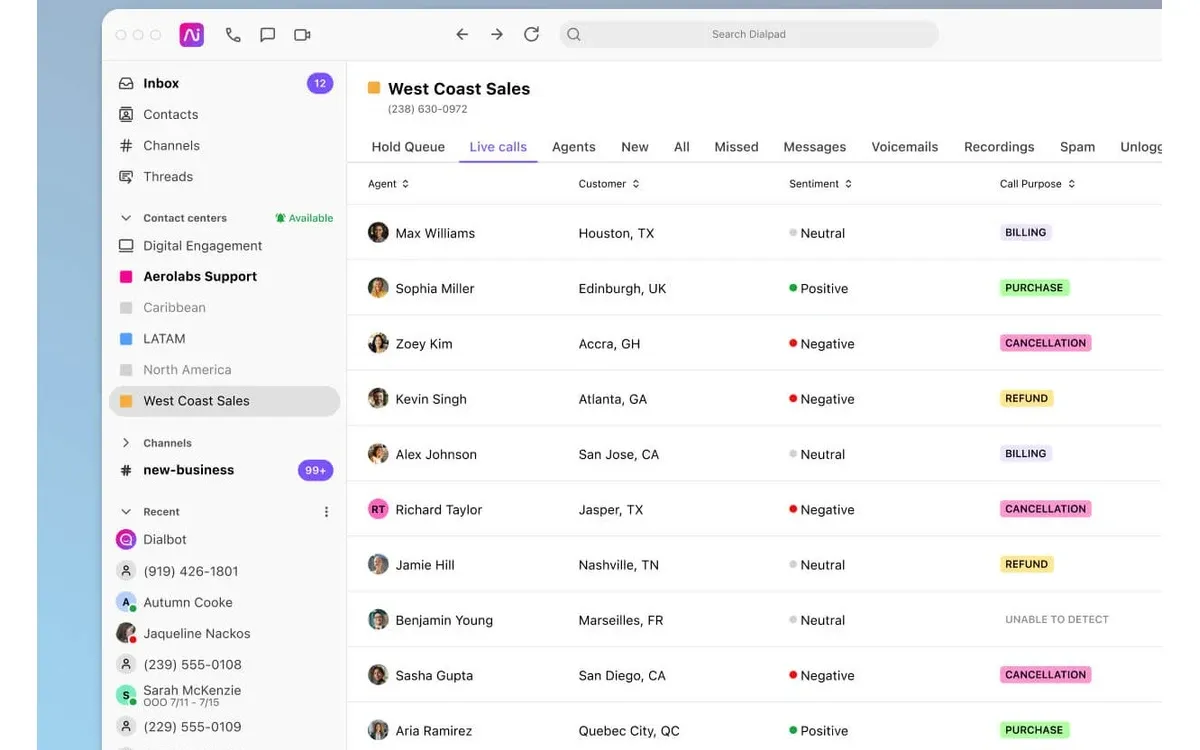
Dialpad Support is an omnichannel customer contact center with built-in AI transcription combining voice and text channels. It connects to Dialpad’s wider UCaaS ecosystem, making it practical for teams looking for both internal and customer communications together.
Straight out of the box, it includes interaction summaries, agent coaching, conversation intelligence and real-time guidance, depending on the seat package.
In summary:
- Implementation effort: Relatively low, particularly with an existing Dialpad environment.
- Admin requirements: Low to moderate for setting up routine routing and user management.
- Considerations: Digital channels and real-time agent assist start at the Advanced tier. Enterprises with complex routing and workflows should prioritize integration with pre-existing tech and communication stacks.
Zoom Contact Center: Best for Zoom Workplace Customers Adding Customer Service
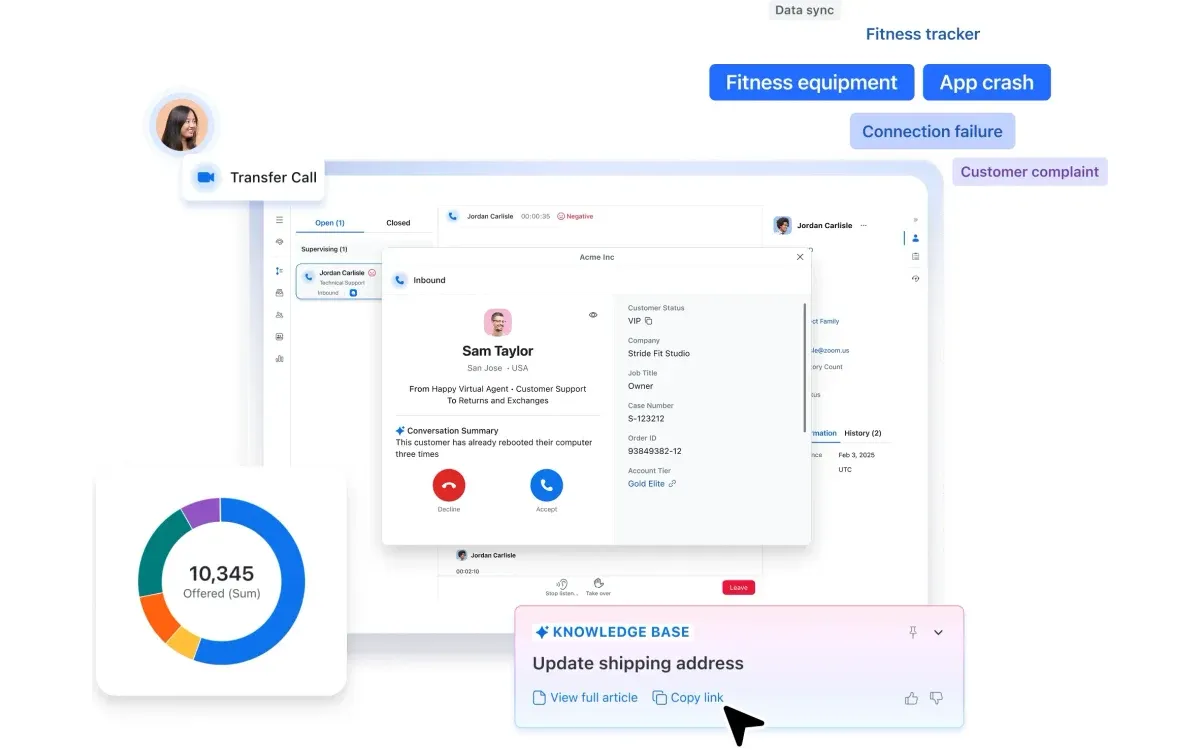
Zoom Contact Center extends the Zoom Workplace platform into customer service, with voice, video, chat, and SMS routed through the same client agents already use for meetings and phone. Video is a first-class channel rather than an add-on, which suits support teams that resolve issues visually.
Zoom AI Companion is included on every tier for transcription and summaries, while AI Expert Assist, quality management, and workforce management are bundled only in the Elite tier or sold as add-ons.
In summary:
- Implementation effort: Low for organizations already standardized on Zoom Workplace.
- Admin requirements: Low to moderate, managed through the existing Zoom admin portal.
- Considerations: Email and social channels require Premium or above, and the feature set is narrower than Genesys or NiCE for complex enterprise operations.
Cloud Contact Centers for Complex Enterprise Operations
Genesys Cloud CX: Best for Complex Enterprise Omnichannel Operations
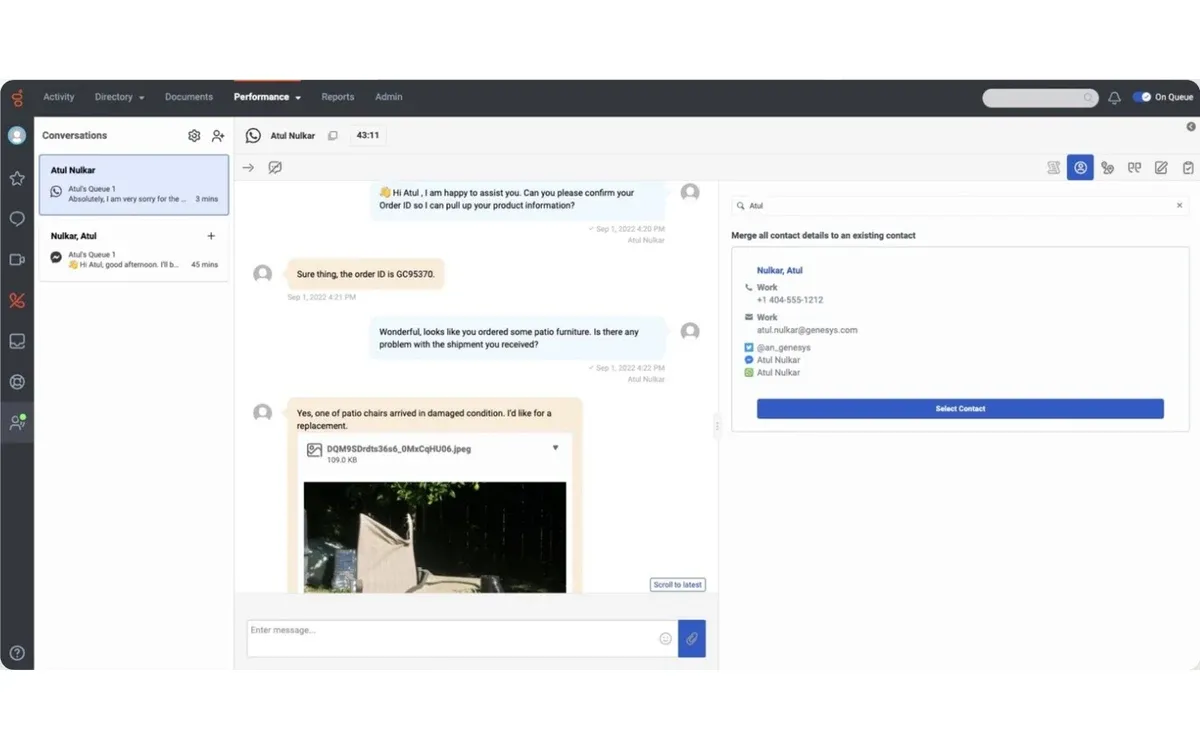
Genesys Cloud CX focuses primarily on bringing voice and digital channels together in its omnichannel routing approach. It provides AI summaries and AI-powered agent assistance, as well as customer interaction journey analytics and a broad CRM and integration ecosystem.
Routing can be set up based on customer intent and agent skill, minimizing the length of the queue and ensuring better outcomes for both customers and support agents.
In summary:
- Implementation effort: High, requiring complex multi-system deployments.
- Admin requirements: Needs dedicated contact center or platform expertise and training.
- Considerations: Offers many useful features, but the high number can introduce more configuration and operational complexity than most midsize teams can handle.
NiCE CXone: Best for Quality Management Depth
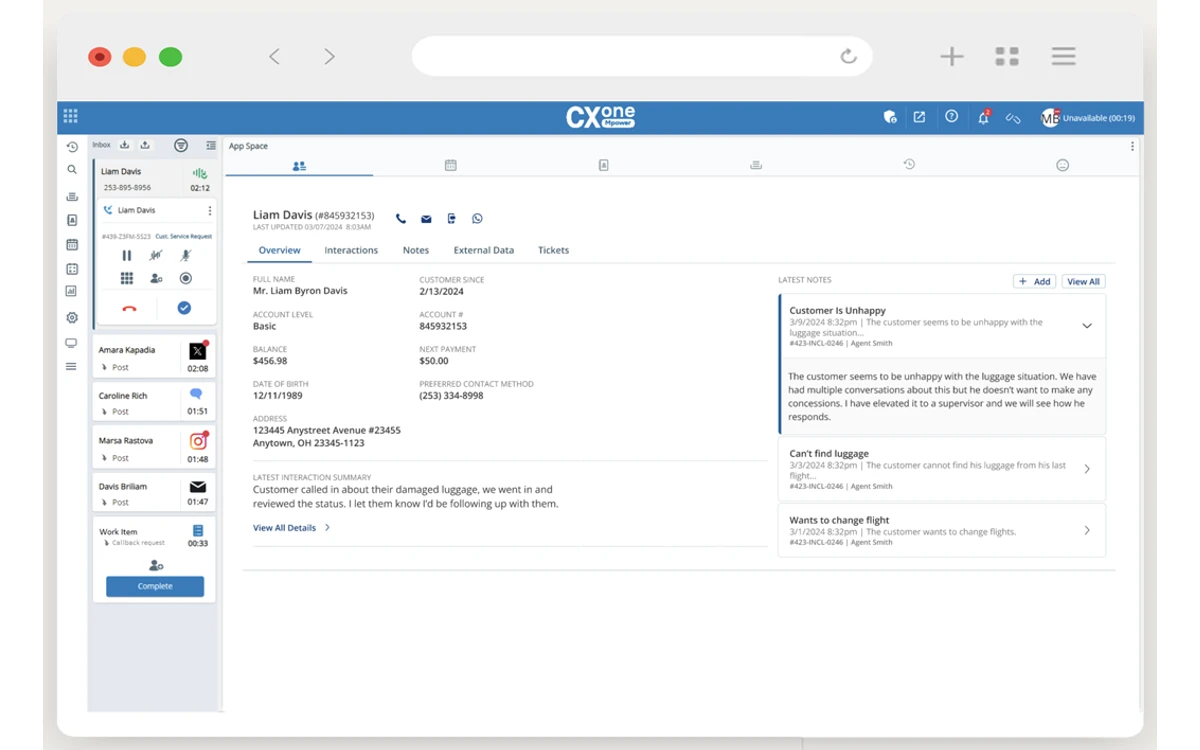
NiCE CXone combines enterprise-grade omnichannel routing with workforce and customer experience management. It offers built-in analytics tools, AI agent assistance, and automated interaction summaries to guide the customer’s journey.
It highly prioritizes governance and security capabilities, making it suitable for large organizations and complex contact center operations.
In summary:
- Implementation effort: High, particularly when applied across multiple teams and systems.
- Admin requirements: Requires dedicated administrators.
- Considerations: Its extensive functionality can be both a pro and a con depending on the organization’s contact center requirements. AI copilots and automation are concentrated in the top Ultimate tier, which adds a per-session fee.
Five9: Best for Established Enterprise Contact Center Operations
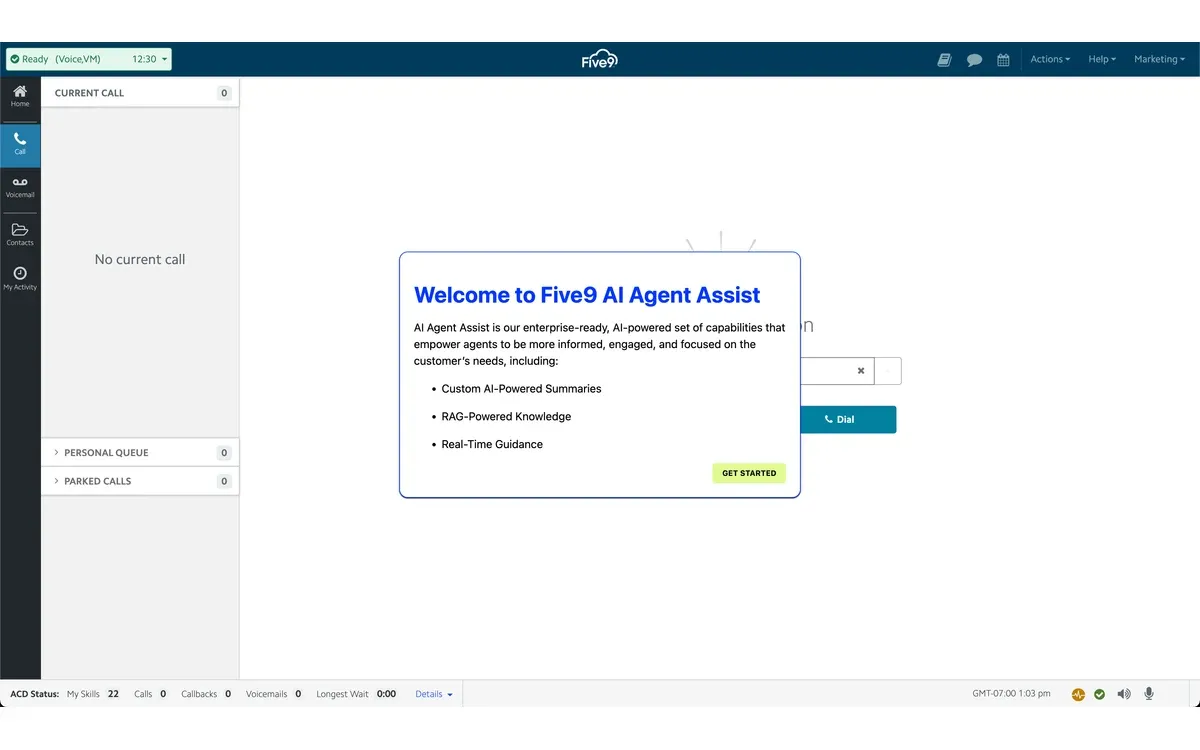
Five9 is geared more towards established contact centers looking to improve agent productivity and the customer journey. It offers intelligent routing for voice and digital conversations, while AI handles summaries and content generation for agents.
It offers a variety of analytics and workforce management tools, giving managers greater visibility into their queue’s performance.
In summary:
- Implementation effort: Moderate; the service is fully cloud-native with complexity depending on the migration scope.
- Admin requirements: Not mandatory, but benefits from a dedicated operations team.
- Considerations: Five9 offers several packages with a 50-seat minimum, so confirm which AI and workforce capabilities are included in your intended package.
Talkdesk: Best for AI-Heavy Omnichannel Workflows
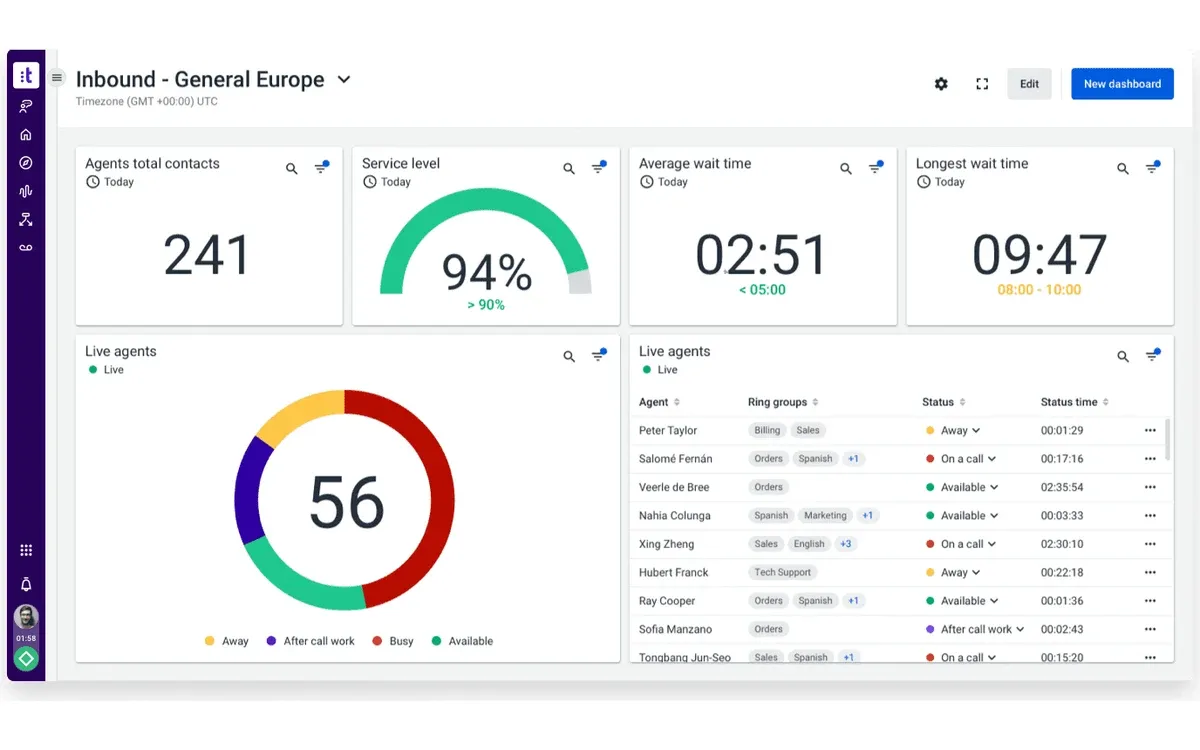
Talkdesk is one of the more AI-heavy options out there, emphasizing its use across voice, chat, and digital interactions using omnichannel routing to connect customers to the agent with the appropriate skills. It also offers AI tools to support agents during conversations and automate routine work tasks.
Industry-specific packages enable you to add workflows tailored to sectors such as healthcare and financial services, allowing for more detailed analytics and workforce monitoring features.
In summary:
- Implementation effort: Moderate to high, depending on integrations, automation, and workflow complexity.
- Admin requirements: Moderate to high, best with ongoing administrative oversight.
- Considerations: List prices assume a three-year commitment. Before selecting a package, separate useful AI workflows from capabilities your organization rarely uses.
Cisco Webex Contact Center: Best for Cisco-Centered Enterprises
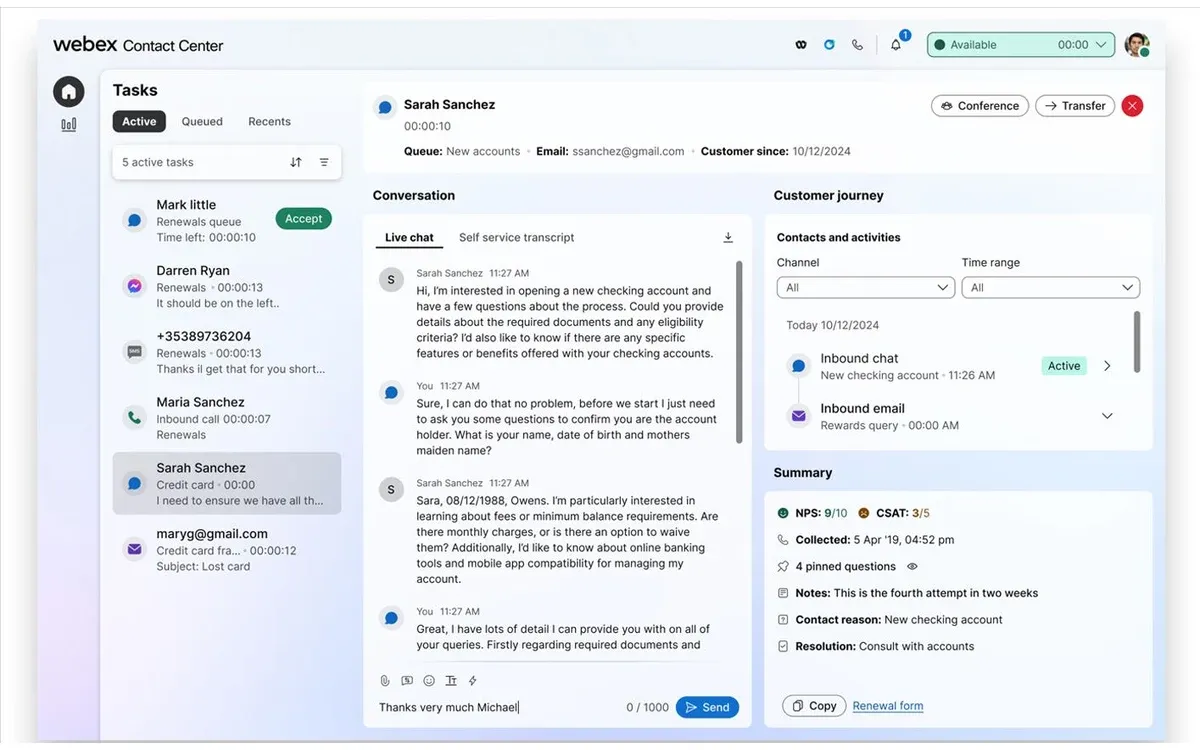
Cisco Webex Contact Center targets enterprises with existing Cisco ecosystems looking to expand the broader Webex environment into enterprise customer service. It does that by supporting voice and digital channel integration alongside intelligent routing.
It offers AI assistance to help with agent interactions, while analytics and workflow optimization tools give managers visibility into customer support performance and satisfaction.
In summary:
- Implementation effort: Moderate to high, depending on integrations.
- Admin requirements: Cisco knowledge and expertise may be required for initial configuration and ongoing management.
- Considerations: Strongest fit where Cisco and Webex workflows already play a substantial role in the communications stack.
Customizable Contact Centers for Developer-Led Teams
Amazon Connect: Best for AWS-Centered Custom Contact Centers
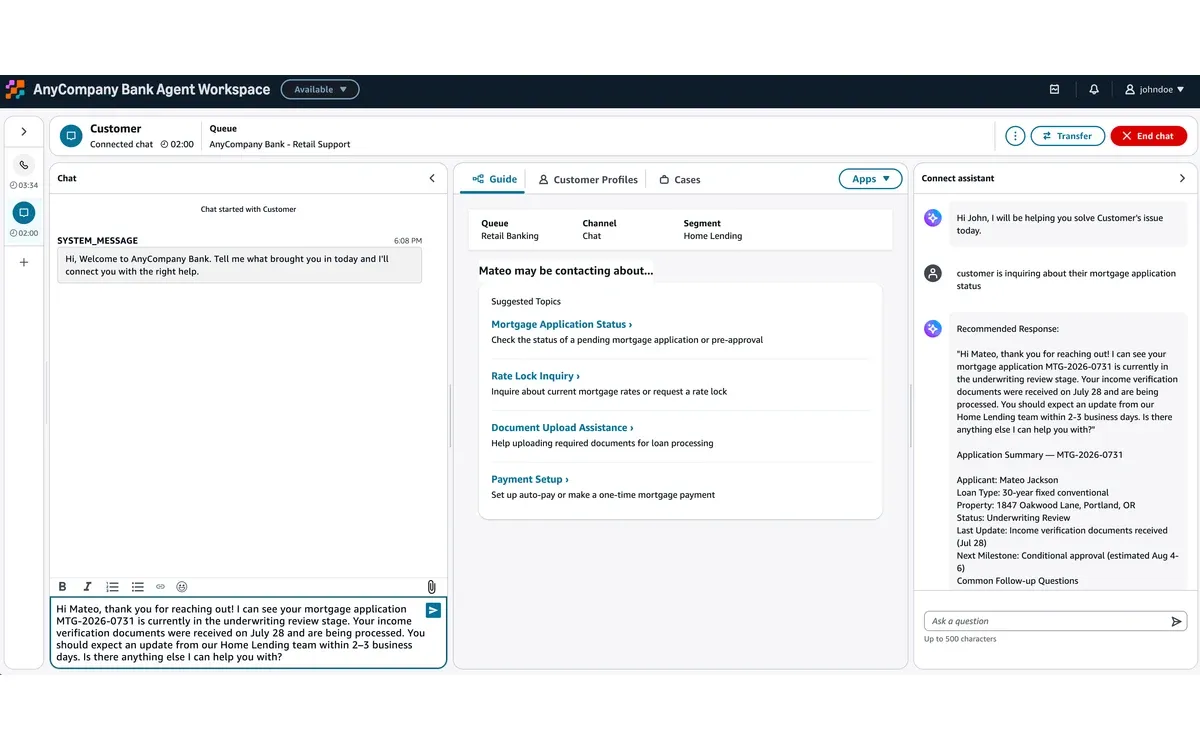
Amazon Connect takes a usage-based approach to customer support rather than the conventional seat-first licensing of other CCaaS platforms. It supports voice, chat, messaging, email, and tasks through a unified agent workspace, while also allowing for customizable routing and workflows.
Its capabilities also include real-time agent assistance, post-contact summaries, and conversation analytics to determine interaction effectiveness and customer satisfaction.
In summary:
- Implementation effort: Moderate to very high, depending on customization.
- Admin requirements: AWS and cloud engineering expertise are recommended for best results.
- Considerations: Pay-as-you-go keeps costs low during the initial rollout, but per-minute and per-message billing is hard to forecast at high volume, and telephony charges are billed on top of the platform rate.
Twilio Flex: Best for Teams Building a Customized Support Agent Experience
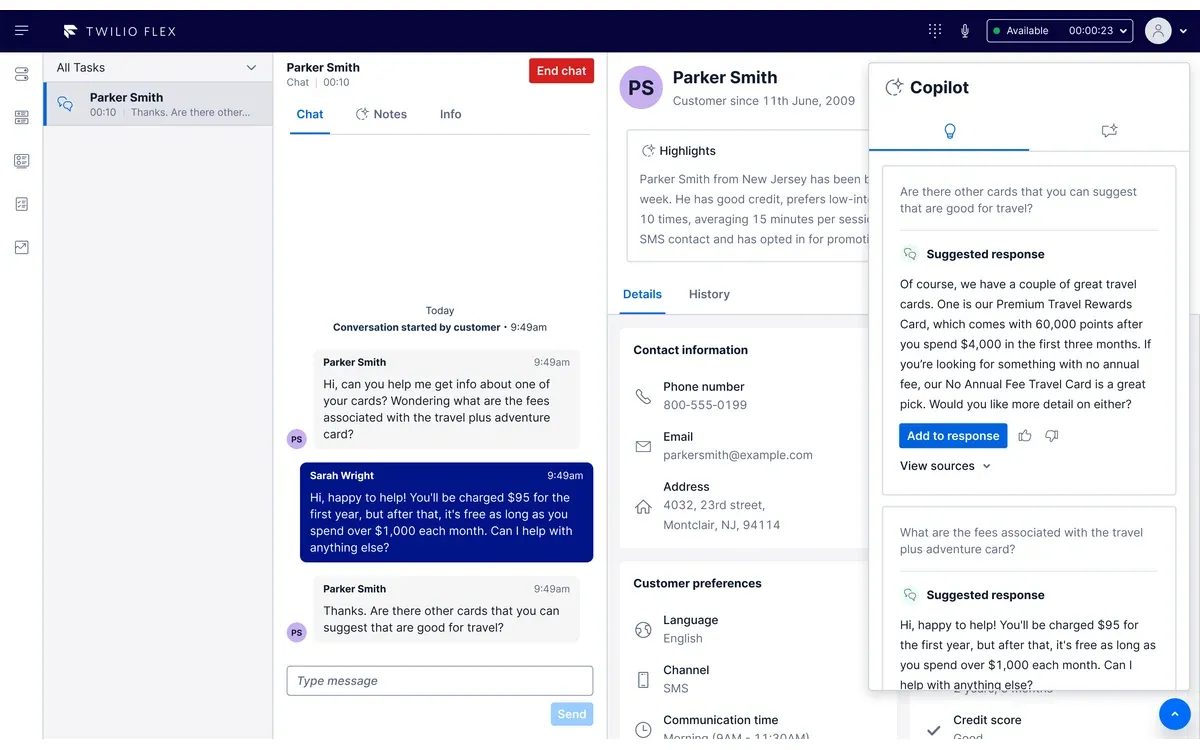
Twilio Flex is a highly programmable contact center, primarily targeting teams looking for total control over the agent experience. It supports the usual features like voice and digital communications, as well as custom routing and workflows.
Its main benefit is programmability: teams build the agent experience they want on Twilio’s APIs rather than configuring a fixed interface. Agent Copilot, which assists agents during and after customer interactions, is available as a usage-priced add-on.
In summary:
- Implementation effort: High for heavily customized deployments.
- Admin requirements: Requires development resources and expertise.
- Considerations: Flexibility comes at a cost, as teams have to configure their own platforms with minimal pre-configured options.
Cloud Contact Center Platform Comparison
| Platform | Best For | Standout Capabilities | Starting Price |
|---|---|---|---|
| Nextiva | Midsize teams combining contact center and business communications | Omnichannel routing, AI summaries, agent assist, analytics, UCaaS integration | From $75/agent/month for Essential. Professional and Premium are quote-based. |
| RingCentral RingCX | Teams consolidating UCaaS and contact center on RingCentral | Voice plus 20+ digital channels, RingSense AI summaries, agent assist, quality management, RingEX integration | From $65/agent/month (annual) for Standard. Professional $95, Elite $145. |
| 8x8 Contact Center | Omnichannel engagement on a UCaaS platform | Omnichannel routing, AI agent assistance and summaries, unified customer history | Quote-based. X6, X7, and X8 tiers were previously listed at $85, $110, and $140/user/month. |
| Dialpad Support | AI-centered midsize support teams | AI transcription, summaries, coaching, conversation intelligence, UCaaS | From $80/user/month (annual) or $95 billed monthly for Essentials. Advanced $115, Premium $150. |
| Zoom Contact Center | Zoom Workplace customers adding customer service | Voice, video, chat, SMS, AI Companion; AI Expert Assist, QM, and WFM on Elite | From $69/agent/month (annual) for Essentials. Premium $99, Elite $149. |
| Genesys Cloud CX | Complex enterprise omnichannel operations | Advanced routing, journey analytics, workforce engagement, AI, broad integrations | From $75/user/month for CX 1, billed annually. Omnichannel CX 2 starts at $115. |
| NiCE CXone | Workforce and quality management depth | Workforce management, quality management, AI, analytics, omnichannel routing | From $110/agent/month for the Omnichannel Suite. Higher suites run $135 to $249, with Ultimate adding $0.25 per AI session. |
| Five9 | Established enterprise contact centers | Intelligent routing, AI assistance, automation, workforce engagement, CRM integrations | From $119/seat/month for Digital. Core adds voice at $159/seat/month. Priced per concurrent seat with a 50-seat minimum. |
| Talkdesk | AI-heavy omnichannel workflows | AI agent assistance, automation, interaction analytics, workforce tools, industry packages | From $85/user/month for Digital Essentials. Voice Essentials $105, Elite $165. List prices assume a three-year commitment. |
| Cisco Webex Contact Center | Cisco-centered enterprises | Enterprise routing, AI assistance, analytics, workforce optimization, Webex integration | $85 to $130 per named agent per month at list (Standard and Premium). Concurrent licenses cost more; most deals are quoted. |
| Amazon Connect | AWS-centered custom contact centers | Usage-based pricing, customizable workflows, agent assistance, analytics, forecasting | Usage-based: voice is $0.038/minute and chat $0.010/message, plus telephony. |
| Twilio Flex | Teams building customized agent experiences | Programmable workflows, custom routing, CRM integration, Agent Copilot | From $35/month per active user plus usage. Named users $150/month, or $1 per active-user hour. |
Prices verified October 25, 2026 against vendor pricing pages. All figures are USD list prices per month and exclude telephony, usage, and add-on charges.
Which Cloud Contact Center Should You Choose?
When deciding on a cloud contact center solution, your shortlist of options should reflect what you’re looking to unify in your current communication stack. Solutions like Nextiva, RingCentral RingCX, and 8x8 better suit midsize companies, combining UCaaS and contact center functionality. Genesys Cloud CX and NiCE CXone fit complex enterprise operations, while Amazon Connect and Twilio Flex make more sense when you need custom solutions and have the development resources to support them.
If you need a simple voice and chat solution, look into built-in features like reviewable AI summaries and real-time agent assistance, as those can help streamline the customer’s support journey with minimal additional operational effort on your end. At enterprise scale, meanwhile, prioritize the inclusion of workforce planning and geographic resilience. Also, depending on the industry, you may need to exclusively work with solutions that are HIPAA- or GLBA-compliant.
Asking these questions can help:
- Routing: Can it route by skills, intent, priority, and channel?
- Context: Do voice and chat channels share the same customer history?
- AI: Can agents review AI summaries and receive relevant agent suggestions?
- Integrations: Does it automatically sync customer interactions with an internal CRM?
- Operations: Does it have built-in workforce planning, permissions, and audit controls?
The right platform should bring your communication channels and customer context together with support workflows into a single system that your team can efficiently manage. Focus on the capabilities your team will actually use, then find the platform that best fits your existing stack.
Editor’s note: Nextiva has been a client of DSS Media, DirJournal’s publisher. Nextiva had no input into the selection, ordering, or assessment of the platforms in this article.
Frequently Asked Questions
What is the cheapest cloud contact center platform?
Which cloud contact center is best for midsize teams?
Which platforms suit large enterprise contact centers?
Do cloud contact center prices include AI features?
What costs sit outside the per-seat price?
What should I check before choosing a cloud contact center?
Join the DirJournal newsletter
Weekly insights on directories, listings, SEO, and how businesses get found online.
No spam. Unsubscribe anytime.
Found this useful?
Share this article
Recommended for You
10 Best Time Tracking Tools for Teams (2026)
Best Automatic Time Tracking Software (2026)
Compare eight automatic time tracking tools by recording method, privacy, current pricing and…
Best Cybersecurity Companies: 15 Firms Compared by Specialization, Revenue, and Market Position
15 cybersecurity companies compared by specialization, revenue, market cap, and product focus. Palo…
Related Resources
Looking for verified service providers? Browse our directory categories below — all human-audited and trusted by decision-makers since 2007.