Independent. Human-Curated. Established 2007.
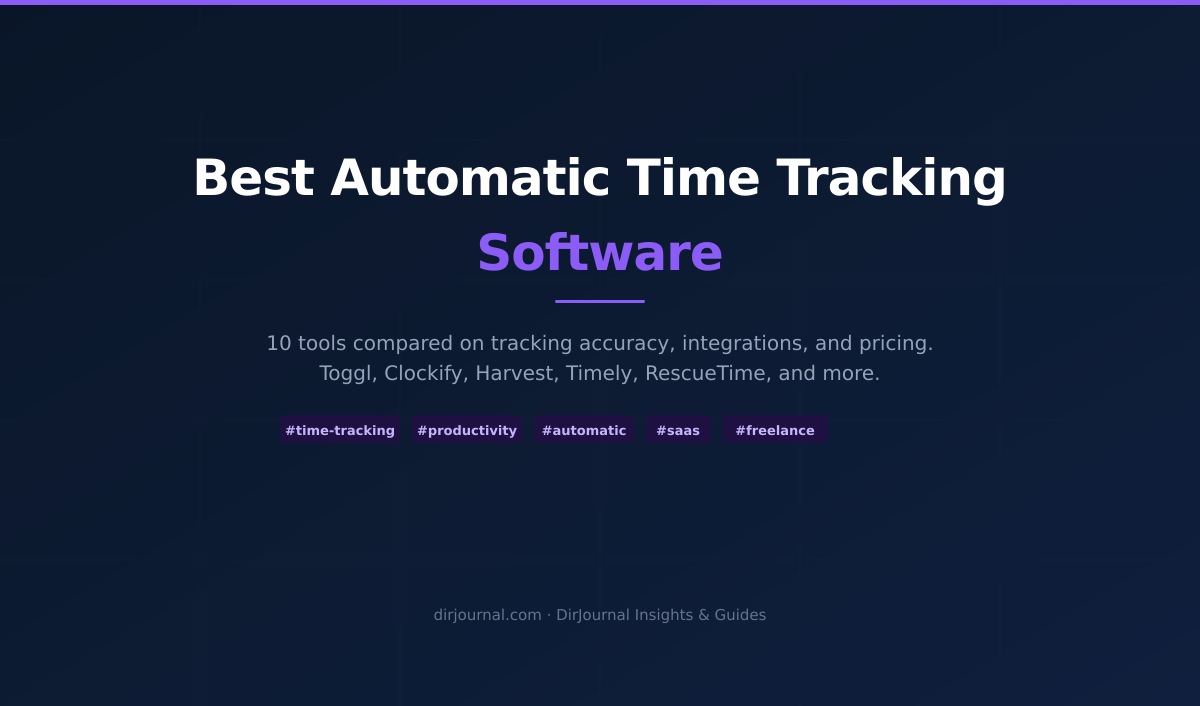
Best Automatic Time Tracking Software (2026)
DirJournal Founder · 19+ years building directory and discovery products. Editorial-team verified.
Key Topics in This Guide
- 1Quick Comparison — covered in detail below
- 2Platform Authority Snapshot — covered in detail below
- 3Ranked Reviews — covered in detail below
- 41. DeskTime: Best for Automatic Team Attendance — covered in detail below
- 52. Hubstaff: Best for Automatic Tracking With Payroll — covered in detail below
- 63. ActivTrak: Best for Workforce Activity Analysis — covered in detail below
- 74. Time Doctor: Best for Work-Only Computers — covered in detail below
- 85. Teramind: Best for Security-Led Monitoring — covered in detail below
- 96. RescueTime: Best for Personal Productivity — covered in detail below
- 107. Timely: Best for AI-Assisted Client Timesheets — covered in detail below
- 118. Kickidler, Now KeepActive: Best for On-Premise Time Reporting — covered in detail below
- 12How to Choose an Automatic Time Tracker — covered in detail below
DeskTime is a strong choice for teams that want work hours recorded without daily start/stop timers. RescueTime fits individuals who want an automatic record of computer use and help controlling distractions. The right automatic time tracking software depends on whether the finished record serves a manager or the person doing the work.
Automatic tracking captures activity after installation and setup, without requiring someone to start a timer for every session. That removes recurring decisions during remote work and gives people a record to consult when reconstructing their day. In AI-assisted workflows, however, keyboard activity alone can't establish the value of work: reviewing a generated report may require more thought than typing.
This comparison combines official product documentation with September 2026 Ahrefs metrics supplied for all eight vendors. It separates background recording from the extra work needed to produce billable timesheets.
Disclosure: DeskTime has a paid top-three placement commitment and appears first. The order isn't a fully independent ranking; the assessments retain product limitations. Links contain no affiliate tracking.
Quick Comparison
Prices are per person unless stated otherwise. Annual rates show the monthly equivalent, except KeepActive's annual license total; add-ons can change the bill. Each price links to its official source.
| Tool | Auto-Tracking Method | Free Tier | Paid From | Best For | Score |
|---|---|---|---|---|---|
| DeskTime | Desktop startup and activity detection | 14-day trial; no current Lite offer verified | $6.42/month annually | Team attendance and productivity | 5/5 |
| Hubstaff | Scheduled automatic start/stop policies | No qualifying free automatic policy plan | $10/month annually for Team; two seats minimum | Tracking with payroll | 4/5 |
| ActivTrak | Background agent records computer activity | Three workers | $10/month annually | Workforce activity analysis | 4/5 |
| Time Doctor | Automatic App runs without timer input | 14-day trial | $6.67/month annually; verify app entitlement | Work-only computers | 3/5 |
| Teramind | Endpoint monitoring records activity | Trial | Confirm USD quote; five seats minimum | Security investigations | 3/5 |
| RescueTime | Automatic application and website recording | Lite | $7/month annually | Personal focus | 5/5 |
| Timely | Memory captures activity; AI drafts timesheets | Trial | $9/month annually | Client work with user approval | 4/5 |
| Kickidler, now KeepActive | Agent-based workday recording | Trial advertised | $50/year for Time Tracking | On-premise reporting | 3/5 |
Scores are editorial assessments of fit for unattended time capture, based on documentation rather than hands-on tests. Five means direct capture with user controls and accessible reporting; four adds a meaningful policy or review step; three means monitoring overhead or purchasing caveats narrow the fit. They aren't customer ratings, and this use-case order isn't sorted by score.
Platform Authority Snapshot
Ahrefs Domain Rating measures backlink-profile strength on a 100-point scale. Organic traffic estimates search visits; referring domains count distinct linking websites. These figures describe online visibility, not software reliability or security, so they don't determine the scores.
| Tool | Domain | DR | Organic Traffic | Organic Keywords | Top 3 Keywords | Referring Domains | Backlinks |
|---|---|---|---|---|---|---|---|
| DeskTime | desktime.com | 73 | 8,891 | 733 | 257 | 4,702 | 29,149 |
| Hubstaff | hubstaff.com | 79 | 139,170 | 4,164 | 1,512 | 12,818 | 87,898 |
| ActivTrak | activtrak.com | 72 | 43,673 | 2,281 | 730 | 4,690 | 61,912 |
| Time Doctor | timedoctor.com | 79 | 34,019 | 1,075 | 255 | 14,025 | 128,273 |
| Teramind | teramind.co | 73 | 21,875 | 1,243 | 320 | 3,023 | 35,443 |
| RescueTime | rescuetime.com | 82 | 22,066 | 217 | 49 | 16,832 | 148,121 |
| Timely | timelyapp.com | 74 | 459 | 10 | 0 | 4,419 | 35,676 |
| Kickidler | kickidler.com | 62 | 10,638 | 1,361 | 446 | 3,306 | 16,515 |
Hubstaff leads estimated organic traffic with 139,170 visits, about 3.2 times ActivTrak's total. ActivTrak is the less obvious search performer: its DR of 72 trails several competitors, but its 730 top-three keywords exceed every vendor except Hubstaff.
DeskTime places 257 of 733 tracked keywords in the top three, about 35.1%. That shows a concentrated set of strong rankings, although the export doesn't identify whether on-page work or branded queries explains them.
RescueTime has the highest DR and backlink count, alongside just 217 organic keywords. A single snapshot can't establish a declining search presence or identify where those links originated.
Timely needs a domain caveat: timelyapp.com now redirects to timely.com. The supplied 459-visit estimate belongs to the old domain, so it can't establish the current brand's total search reach or dependence on word of mouth.
| Brand | Search Volume |
|---|---|
| Hubstaff | 22,000 |
| ActivTrak | 11,000 |
| Teramind | 6,100 |
| Time Doctor | 3,900 |
| RescueTime | 1,700 |
| DeskTime | 600 |
Hubstaff has the strongest measured branded search demand; DeskTime has the lowest among the six supplied terms. That measures search interest, including possible login queries, rather than customer satisfaction. No branded figures were supplied for Timely or Kickidler.
Directory discovery adds another dimension: DirJournal's AI Citation Index tracks directory citations in AI answers. Structured business profiles give retrieval systems identifiable facts to work with, but the index doesn't prove that schema causes citations. Search popularity alone can't decide which tracker fits a particular workflow.
Ranked Reviews
1. DeskTime: Best for Automatic Team Attendance
With startup tracking enabled, DeskTime's desktop app records application and website activity without daily timer clicks. It detects idle periods and classifies activity by productivity. That makes it useful for a manager who needs an attendance record without collecting manually reconstructed hours.
The Pro plan includes project tracking and Private Time, which lets users suspend collection for personal activity. Calendar integrations support Google Calendar and Outlook. Premium adds screenshots and shift scheduling, plus an absence calendar and project-management integrations.
The tradeoff is interpretation: an app's productivity category doesn't establish the value of a particular task. A social media manager can do paid work inside a site another department treats as a distraction. Configure those classifications before using reports to assess employees.
Automatic attendance also doesn't guarantee a complete client bill. DeskTime's offline-time documentation describes manual additions for work the app didn't capture. Account for phone calls away from the computer before treating tracked time as the entire working day.
Pricing: Pro costs $7 per user monthly or $6.42 per month with annual billing; Premium costs $10 or $9.17 respectively. Enterprise uses custom pricing. Current documentation advertises a 14-day trial and requires a subscription afterward, so an older Lite recommendation shouldn't drive a purchase.
Best fit: small teams that need automatic attendance plus project context, with screenshots reserved for a defined business need.
2. Hubstaff: Best for Automatic Tracking With Payroll
Scheduled shifts can start and stop recording without employees touching the timer, provided the desktop application is open and the user is signed in. Hubstaff's automatic tracking policies require Team or above. The cheaper Starter plan isn't the correct price anchor for this automatic workflow.
For managed computers, the separate Silent app supports continuous activity-based tracking as well as scheduled collection. Hubstaff documents it for Enterprise and Team with the Silent add-on. Administrators must configure the policy before deployment.
The Team plan combines payroll and payments with unlimited integrations. App and URL reports can give managers context for recorded hours, while optional screenshots provide a more intrusive record. Choose that depth because a workflow requires it, rather than treating more captured information as better evidence of performance.
The main limitation is project attribution: a policy can start time against a designated project, but that doesn't prove every subsequent activity belongs to that client. An agency with several accounts should test how often staff need to correct the assignment. Automatic clocking won't remove that review.
Pricing: Team costs $10 per seat monthly when billed annually, or $12 on monthly billing, with a two-seat minimum. Starter begins at $4.99 annually but lacks the required automatic policies. Best fit: teams that want approved hours to feed payment workflows and can maintain a defined tracking schedule.
3. ActivTrak: Best for Workforce Activity Analysis
A background agent records application and website activity without asking employees to fill out a timer. ActivTrak's setup guide describes automatic productivity classifications that administrators can override with custom rules. The resulting analysis suits managers investigating work patterns across departments.
Its time-measurement glossary separates screen time from inactivity. That distinction matters when comparing roles: a worker on a call can contribute without constantly moving a mouse. A report based on computer activity should therefore support a conversation about workload rather than stand alone as an employee performance grade.
The current plans replace older Essentials references. Work Activity Tracking costs $10 per worker monthly, billed annually; Workforce Management costs $15, and Productivity Optimization costs $17. These packages address different management needs, so the least expensive paid plan doesn't include every advanced analytical feature.
The free tier supports three workers with limited functionality and 30 days of data history. It's a practical way to inspect the reports before committing a department. Screen Details is a separate add-on for eligible plans, so assess its cost if screenshots matter.
Best fit: teams that want attendance visibility and evidence about application use. Client billing requires a separate assessment because a productivity dashboard doesn't itself establish chargeable project hours.
4. Time Doctor: Best for Work-Only Computers
The Automatic App records activity while the computer is on, without a user interface or a pause control. That differs from Time Doctor's Interactive app, where employees start and stop recording. A work-only device is the better match for the automatic version.
Company settings support Mixed deployment alongside the two dedicated app modes. A business can therefore choose different app types for different users. Installing both versions for the same person isn't a useful shortcut: Time Doctor warns that simultaneous use can produce duplicate data.
Buyers need to resolve one documentation conflict. The May 21 app guide says both versions are available on all plans, while an April 1 download guide restricts the Automatic App to Premium. Confirm entitlement in the trial account before paying for Basic.
Payroll presents a separate limitation: the payroll guide makes that feature available to Interactive companies, excluding Automatic companies. Don't assume background monitoring and payroll operate together in the same configuration. Standard's app and website reporting also sits above Basic on the pricing page.
Pricing: Basic costs $8 per user monthly or $6.67 with annual billing; Standard costs $14 or $11.67. Best fit: businesses that need centrally configured recording on dedicated work devices and can verify the required app entitlement before rollout.
5. Teramind: Best for Security-Led Monitoring
Endpoint activity becomes a time record inside a broader monitoring system. Teramind's plan comparison combines website and application tracking with screen recording. That context can help investigate a specific event, but it creates a heavier administrative job than collecting work hours alone.
The tiers have materially different capabilities. UAM adds keystroke logging and expanded behavioral rules; DLP adds content-based controls for sensitive information. Don't buy Starter expecting the full data-loss-prevention feature set described elsewhere on the vendor's site.
For a security team, the useful question is whether recorded behavior explains a flagged action and supports an investigation. For a freelancer reconstructing an afternoon, that same depth adds collection they may never need. Decide which events warrant recording before enabling the available controls.
Time tracking also can't prove that a security policy works. Test the particular activity a rule should detect, then inspect the resulting record. An application log won't establish whether a downloaded file contained sensitive material unless the relevant inspection capability is configured.
Licensing starts at five seats. Teramind's published comparison guide advertises Starter at $14 per seat monthly on annual billing, but the region-sensitive pricing calculator didn't reproduce a verified USD quote during this check. Request the current USD total for the selected package.
Best fit: organizations buying investigation or data-protection controls alongside activity reporting, with staff available to manage the resulting records.
6. RescueTime: Best for Personal Productivity
An automatic record of app and website use can reveal where a working day went without creating a manager-facing monitoring program. RescueTime's Lite plan provides that basic capture free. It includes activity reports with two weeks of visible history.
Solo Focus adds distraction-blocking Focus Sessions and detailed reporting. The practical benefit is a feedback loop: identify a distracting application in the record, then restrict it during a focused work period. That gives the tracked data a use beyond reporting how many hours passed.
The current product range also includes team plans and Timesheets, so describing RescueTime as exclusively an individual tool would be inaccurate. Solo+ combines Focus with project-oriented timesheets. Someone billing clients should evaluate that package rather than assume the cheapest paid plan handles invoicing records.
Pricing: Solo Focus costs $84 annually, equivalent to $7 monthly; Solo+ costs $144 annually, equivalent to $12 monthly. The free tier omits Focus Sessions and offline activity tracking. It suits an initial audit of computer habits, but its short report window limits longer comparisons.
Best fit: individuals who want to change how they spend time, with Solo+ available when project records become necessary. Its 148,121 backlinks in the supplied dataset establish a large link profile; the product decision still rests on whether its reports lead to a useful change in the user's day.
7. Timely: Best for AI-Assisted Client Timesheets
Memory captures activity in the background so people can review a record instead of remembering every task. Timely's AI categorization helps organize that activity into timesheets. This approach fits client work where a person needs to decide what the customer should see.
The distinction is approval: automatic capture doesn't mean automatic sharing. Timely's privacy documentation says colleagues see the public timesheet, while the underlying Memory timeline remains private to the user. AI timesheet entries require review and approval before sharing.
Private doesn't mean stored only on the device. The same documentation says tracked activity uploads to the Memory timeline and that Timely stores data on AWS servers in Europe. A buyer requiring local-only storage should reject that assumption before installing the app.
Review adds work, but it also creates a checkpoint between observed computer activity and a client invoice. For example, a consultant can inspect whether time spent on a shared research topic belongs to one account or several. Treat AI assignments as drafts until that context has been checked.
Pricing: Starter costs $11 per user monthly or $9 with annual billing, with a maximum of five users and 20 projects. Premium costs $20 or $16 respectively and allows unlimited projects. Best fit: agencies that prefer user-approved timesheets and can budget for a daily review step.
8. Kickidler, Now KeepActive: Best for On-Premise Time Reporting
The current vendor site uses KeepActive branding while retaining kickidler.com. Its Time Tracking product records work activity and produces attendance reports without a manual session timer. Evaluate the present package names before relying on an older Kickidler comparison.
The pricing page separates Time Tracking from Employee Monitoring. The latter adds screen video recording and keystroke activity, together with violation-review features. Buyers who only need hours and application reports shouldn't assume those deeper monitoring functions come with the entry license.
Current on-premise Time Tracking licenses cost $7 for one month or $50 for one year per user, approximately $4.17 monthly on the annual term. Employee Monitoring costs $9.99 monthly or $66 annually, equivalent to $5.50 monthly. Longer licenses use different rates, so compare the commitment as well as the advertised monthly equivalent.
On-premise deployment changes the buying decision: include the work of maintaining the installation when estimating cost. The site labels its cloud option as in progress, so don't budget around an assumed hosted service. Confirm which deployment the quotation covers.
Best fit: teams that want local administration and accept the operational responsibility it brings. Before extending a trial, check that an ordinary workday produces the required attendance report without manual timer actions, then inspect whether the retained activity detail exceeds the business need.
How to Choose an Automatic Time Tracker
A zero-cost requirement narrows the shortlist to ActivTrak Free for up to three workers or RescueTime Lite for individual activity reports. DeskTime's current trial isn't a permanent free plan. Compare the free tiers' history limits with the reporting period the business actually uses.
For tracking tied to payments, evaluate Hubstaff Team's automatic policies and payroll together. Ask the trial to answer a concrete question: does a corrected time entry reach the payment workflow as intended? Time Doctor's Automatic-company payroll restriction makes that configuration a different proposition.
For personal focus, start with RescueTime's reports. For client billing with employee control over shared entries, inspect Timely's approval process. Budget the review time alongside the subscription, especially when several clients use the same applications.
Security-led buyers should evaluate Teramind against a defined investigation requirement. KeepActive suits a different operational preference when on-premise control matters. Neither a recording volume nor a productivity percentage establishes the quality of someone's output.
Run the trial across a complete working week, including a meeting away from the keyboard. Compare its record with known work and inspect access permissions. Choose the tool that captures the required hours with the fewest corrections under those actual conditions.
Methodology
Ahrefs figures reproduce the supplied September 2026 dataset, without an independent repull. Product claims use linked vendor documentation checked September 29, 2026; conflicting details are flagged. Scores reflect documented workflow fit, not measured accuracy.
DeskTime's paid placement affects order; this isn't a fully independent ranking. No affiliate links are used.
Join the DirJournal newsletter
Weekly insights on directories, listings, SEO, and how businesses get found online.
No spam. Unsubscribe anytime.
Found this useful?
Share this article
Recommended for You

Best Free Photo Editing Software: 10 Photoshop Alternatives Compared
GIMP is the best free photo editor for full Photoshop-level editing on desktop. Photopea is the…
Free AI Visibility Scanners: 12 Tools That Check Your Brand on ChatGPT, Gemini & Perplexity
An honest comparison of 12 AI visibility scanners — what is actually free, what is paywalled, and…
Best Vibe Coding Tools: I Tested 10. Here's What Actually Ships.
Related Resources
Looking for verified service providers? Browse our directory categories below — all human-audited and trusted by decision-makers since 2007.